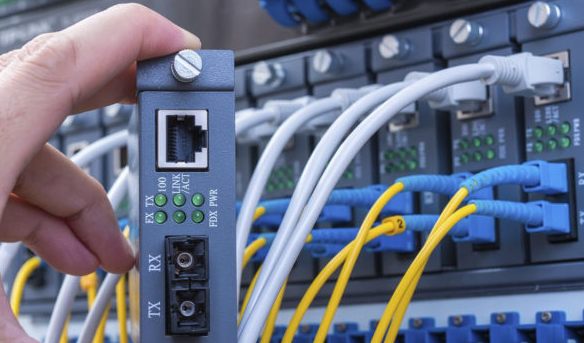
Network hardware is a set of physical or network devices that are essential for interaction and communication between hardware units operational on a computer network. These are dedicated hardware components that connect to each other and enable a network to function effectively and efficiently.
Hardware Networking

Hardware Notes
Unit 1:
- Hardware.pptx
- Hard Ware Basic
- Basic Eletronics
- Software Installation
- PC Assembly
- Trouble Shooting
- Business Startup
- Intro to Lan & CCTV
- r.txt
Unit 2:
Hard Ware Basic
- index.docx
- Tools Box.docx
- Pratical Session - Sleep Mode.docx
- Dos Command.docx
- A memory is just like a human brain.docx
- CD Rom VS DVD Writer.docx
- RAM.docx
- ROM stands for Read Only Memory.docx
- Mother board Home Work.docx
- The motherboard serves as a single platform to connect all of the parts of a computer together.docx
- Memory unit is.docx
Unit 3:
What is a Port.docx
- Cables.docx
- Connectors.docx
- SMPS - Switch mode power Supply.docx
- Network Card.docx
- Printers.docx
- Moniters.docx
Unit 4:
- Today.docx
- Following list demonstrates various applications of computers in today.docx
- Generation in computer terminology is a change in technology a computer is.docx
- Computers can be broadly classified by their speed and computing power.doc
- All types of computers follow a same basic logical structure and perform the following five basic operations for converting raw input data into information useful to their users.pdf
- Following are few of the important input devices which are used in a computer.docx
- CPU consists of the following features.docx
- Following are few of the important output devices which are used in a computer.docx
- Computers can be broadly classified by their speed and computing power.pdf6.All types of computers follow a same basic logical structure and perform the following five basic operations for converting raw input data into information useful to their users.docx
Unit 5:
Basic Eletronics
- Basic Introductions.docx
- Components.docx
- Solider.docx
- Electron Bell Project.docx
- SMPS Flow Chart and Trouble Shotting.docx
Unit 1:
Software Installation
- Software is a set of programs.docx
- How to burn or create CD or DVD on a computer.docx
- Mother Board Bios.docx
- Windows Installation - Bootable Pen Drive.docx
- Windows Installation.docx
Unit 2:
Tally Installation.docx
- Antivirus - QH , VP.docx
- MS office with crack.docx
- DTP Center photoshop , Indesign, corel - marathi font - shree.docx
- auto cad.docx
- net with sql server.docx
- VB and crystal report.docx
- c prg.docx
Unit 3:
PC Assembly
- PC assambly.docx
- Introduction to Hardware Supplier - Copy.docx
- Introduction to Service Provider - Repairs.docx
- Machine Testing.docx
- Warrenty and Replacement.docx
Unit 4:
Trouble Shooting
- Trouble Shooting Basic.docx
- Trouble Shooting Ram.docx
- PC Not Starting.docx
- SMPS.docx
- Os Crash.docx
- Data Backup.docx
- Data Recovery.docx
Unit 5:
Business Startup
- Type of bussiness.docx
- Registration.docxp
- Bank Account.docx
- Quotation.docx
- Challan.docx
- Tax invoice.docx
- Marketing.docx
- AMC Format.docx
Intro to Lan & CCTV
Unit 1:
- Lan Card and Internet Setup.docx
- CCTV Connetor and Installation.docx
Course Features
- Lectures 30
- Quizzes 4
- Duration 45 hours
- Skill level All level
- Language English
- Students 60
- Certificate Yes
- Assessments Self
-
LearnPress Getting Started
- Unit 1.1 Microsoft Office & Multimedia
- Unit 1.2 Working with Photoshop
- Unit 1.3 Designing Using Corel Draw
- Unit 1.4 Page Maker
- Unit 1.5 Printing & Publishing
- Unit 1.6 Communicative English
-
Mohan Prasad
DTP Course
I am working in a software company as a fresher but after joining the company I got a work on DTP[Desktop publishing] . I was not knowing anything about it .So my uncle told me about the Raj Computers classes. So I join this class and I got benefit from this course in my own carrier and also in my job.
-
Nisha Pawar
DTP Course
Desktop Publishing [DTP] is the course in which we can learn many more new topics related to the documents and page layouts.